The Grok Bot Playbook for Business Owners

7 Jobs to Hand Off This Week.

Plus a 30,000-foot look at how I'm running my own business with it.

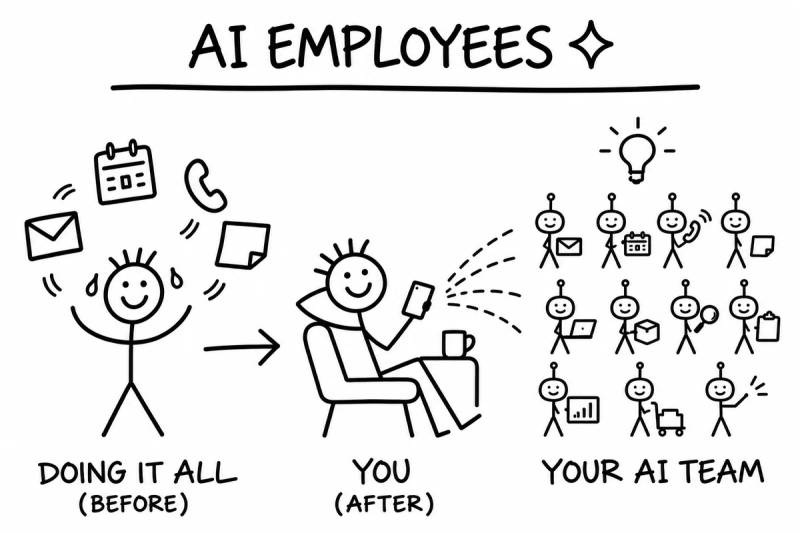
Doodle: AI Employees. Before, you're juggling email, calendar, calls and notes. After, you relax with coffee and run a whole AI team from your phone.

Hey, thanks for the follow.

Lemme NOT be like everyone else...

You've probably heard a lot of "AI is changing everything" talk.

Most of it is a chatbot in a new outfit.

You ask it something. It gives you a paragraph. Then you still have to go do the work.

Grok Bot is different.

It's not a chat window. It's a teammate.

  • It has its own computer and its own browser.
  • It connects to the tools you already use, like Gmail, Google Drive, your calendar, Slack, Notion and HighLevel.
  • It remembers how you like things done.
  • It works on a schedule, even when you're not at your desk.
  • And it asks before it sends, posts, buys or deletes anything.

I truly believe this is the biggest leap since the first iPhone.

Not a "cool feature" leap.

The kind where, a year from now, you look back and can't picture running your business without it.

That's a big claim. So instead of hyping it, I'll show you.

Below is how I use it, then 7 jobs you can hand your own Grok Bot this week, each with a prompt you can copy and paste.

Go ahead and binge it. It's a quick read.

Try Grok Bot free for 2 weeks

How I Use It (The 30,000-Foot View)

Quick personal note first.

My first kid is due in December.

So I've been on a mission to get work off my plate before then. Not to work less for the sake of it. To be present when it counts.

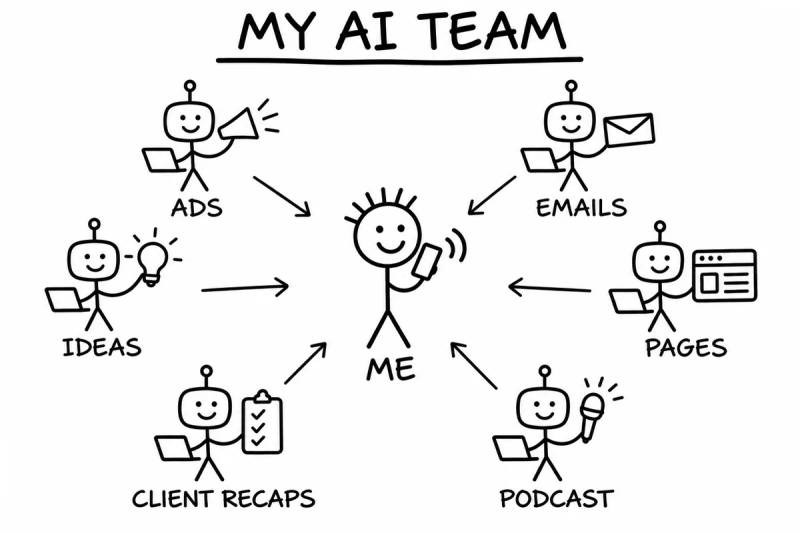
Here's what my Grok Bot team handles today:

Hand-drawn doodle titled My AI Team: a smiling stick figure labeled Me, on the phone, in the middle, with arrows from six robot teammates around him labeled Ads, Emails, Ideas, Pages, Client recaps and Podcast.
  • My ads.

    I never log into Ads Manager and fight with it anymore. I launch campaigns from my phone with 30 to 60 second voice notes. Then it watches how they perform and makes adjustments for me.

  • My landing pages.

    It builds the pages, and nothing goes live until I say so.

  • My emails.

    I have email writers trained on my real, approved emails. They draft right inside HighLevel. I read, tweak and approve.

  • My webinars.

    A team of bots helps with titles, hooks, slides and the follow-up emails.

  • My podcast.

    It's set up to help book guests and write me a brief on each one before we record.

  • My community.

    It takes my Zoom replays and gets them ready to post in my Skool community. It shows me every post first.

  • My client calls.

    After a call, it writes the recap. On Sundays, it checks in on everyone's action items.

  • My ideas.

    I talk into my phone when an idea hits. It catches the voice memo and files it so I don't lose it.

  • My content.

    One long video goes in. Short clip ideas, X threads and emails come out, all in my voice.

  • My random stuff.

    It built me a read-along audiobook app. It's handling a meal subscription I want to cancel, and it'll check with me on the day before it does anything.

Altogether, I've built more than 100 specialist bots.

You don't need anywhere near that many.

Start with one.

The 7 Jobs to Hand Your Grok Bot

Each one has the same four parts:

  • The problem it fixes
  • What Grok Bot does
  • Try saying this to your bot (copy it, paste it, change the details)
  • The doodle that paints the picture

Pick the one that hurts the most. Start there.

Job #1:The Morning Inbox Sweep
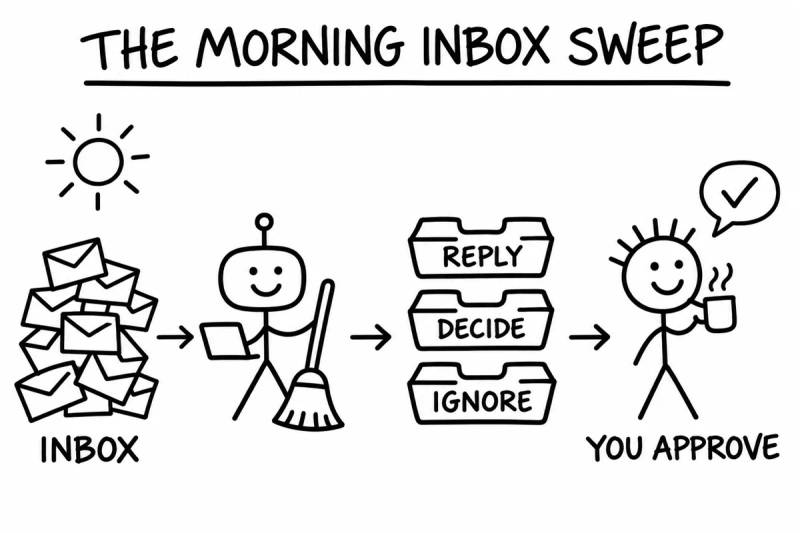
Hand-drawn doodle titled The Morning Inbox Sweep: under a rising sun, a pile of emails labeled Inbox goes to a robot with a laptop and a broom, then into three trays labeled Reply, Decide and Ignore, then to a smiling person with a coffee labeled You approve.

The problem:You open your email "for a second" and look up an hour later. The important stuff is buried under newsletters, receipts and "just checking in."

What Grok Bot does:Connect your Gmail or Outlook. Every morning, it reads what came in, sorts what actually needs you, and drafts replies to the easy ones in your voice. You get one short list: reply to these, decide on these, ignore the rest. Drafts sit there until you approve them. Nothing goes out on its own.

Try saying this to your bot:

Every weekday at 7am, go through my inbox from the last 24 hours. Give me a short list: what needs my reply today, what needs a decision, and what I can ignore. Draft replies for the simple ones in my voice, but don't send anything. I'll approve them.
Job #2:The Voice Memo Brain Dump

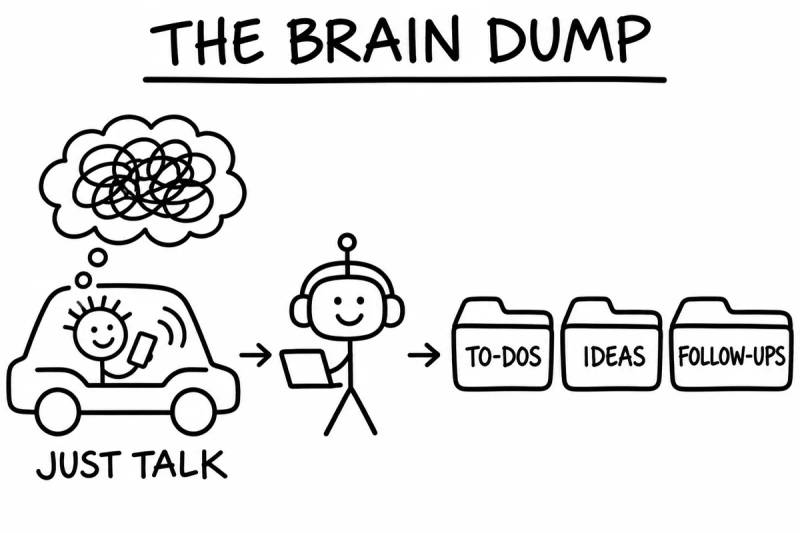
Hand-drawn doodle titled The Brain Dump: a person driving a car talks into a phone under a tangled thought bubble, labeled Just talk, then a robot with headphones and a laptop, then three folders labeled To-dos, Ideas and Follow-ups.

The problem:Your best ideas show up in the car, in the shower, or at 11pm. By morning they're gone. Or they're sitting in a notes app you never open again.

What Grok Bot does:You talk. It listens. Send it a voice memo and it turns your rambling into something useful: a to-do, a content idea, a note for your team, or a page in Notion. It's how I keep my own idea inbox. I talk for 30 seconds and it files it where it belongs.

Try saying this to your bot:

When I send you a voice memo, turn it into a clean note. Pull out any to-dos, ideas and people I need to follow up with. Save it to my Notion 'Ideas' page with today's date, and tell me in one line what you filed.

Job #3:The Meeting Closer

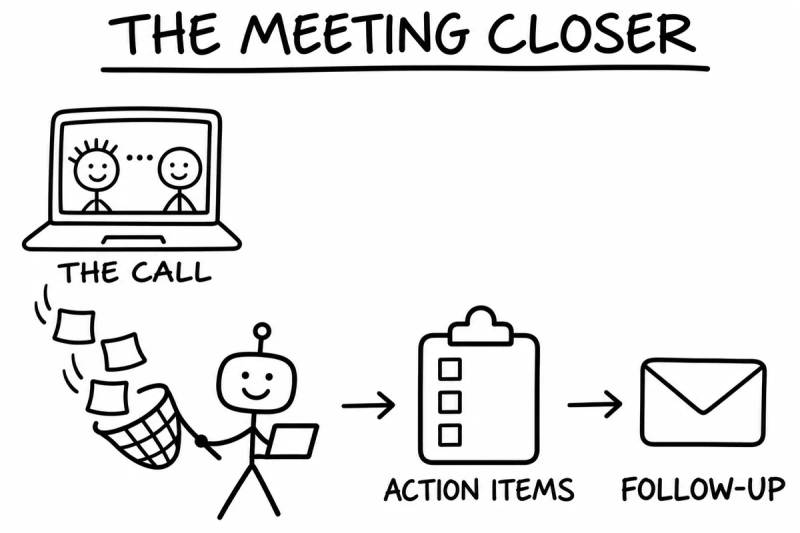
Hand-drawn doodle titled The Meeting Closer: two people on a video call on a laptop labeled The call, notes flying out of it caught in a net by a robot with a laptop, then a checklist labeled Action items, then an envelope labeled Follow-up.

The problem:The call goes great. Everyone agrees on next steps. Then nobody writes them down, the follow-up email never goes out, and two weeks later you're asking "wait, who was doing that?"

What Grok Bot does:After a call, hand it the recording or transcript. It writes the recap, lists who owes what by when, and drafts the follow-up email for you to approve. Then it can check in later to see what got done. I have mine do a Sunday sweep of every client's action items so nothing slips.

Try saying this to your bot:

Here's the transcript from today's call. Write a short recap, a list of action items with who owns each one and the due date, and a friendly follow-up email to the client. Show me the email before it goes anywhere. Then remind me Friday to check which items are done.

Job #4:The Lead Follow-Up Sidekick

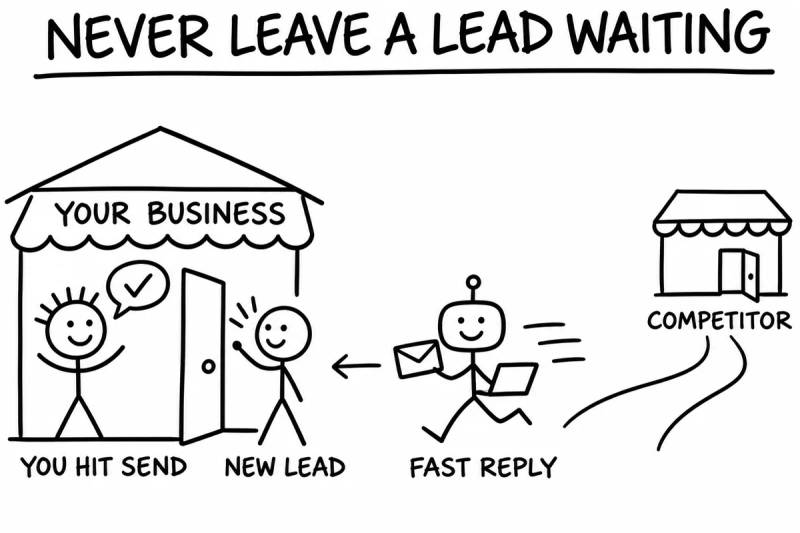
Hand-drawn doodle titled Never Leave a Lead Waiting: a robot labeled Fast reply runs an email to a new lead at the door of a shop labeled Your business, where a smiling person labeled You hit send waits, while a competitor's shop sits farther down the road.

The problem:A lead fills out your form on Tuesday. You get to them Thursday. By then they've talked to someone else. Slow follow-up quietly kills good deals.

What Grok Bot does:Connect your CRM, like HighLevel, or even a Google Sheet of leads. It watches for new ones, looks them up, drafts a personal first reply, tags them, and reminds you who's going cold. You stay the one who hits send.

Try saying this to your bot:

Every morning, check my CRM for leads that came in during the last day and anyone I haven't replied to in 3 days. For each one, give me a one-line summary and a short, personal reply draft I can send. Tag the cold ones 'needs follow-up.' Don't send anything without my OK.

Job #5:The Research Desk

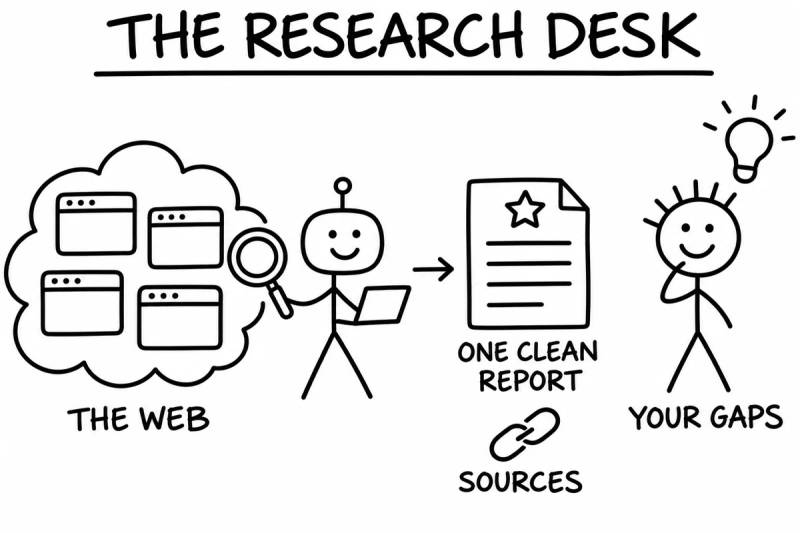
Hand-drawn doodle titled The Research Desk: a cloud of browser windows labeled The web, a robot with a magnifying glass and a laptop, then a document labeled One clean report with a link icon labeled Sources, then a thinking person with a light bulb labeled Your gaps.

The problem:You need to know what your competitors charge, what customers complain about, or whether that new vendor is any good. That's three hours of open tabs you don't have.

What Grok Bot does:It has its own browser, so it can actually go look. It searches the web, reads the pages, compares what it finds and hands you a clean summary with links to every source so you can check it yourself. Want it every week? Make it a routine and it'll keep an eye on things for you.

Try saying this to your bot:

Research my top 5 local competitors for [your service] in [your city]. For each one, find their pricing if it's listed, what they promise, and what their reviews praise and complain about. Put it in a Google Doc with links to every source. Then tell me the 3 gaps I could own.

Job #6:The Content Multiplier

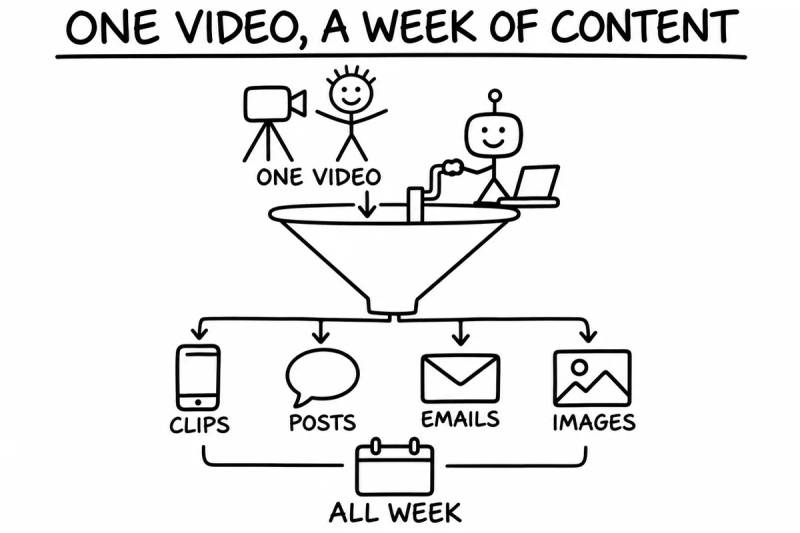
Hand-drawn doodle titled One Video, a Week of Content: a person in front of a camera labeled One video drops into a funnel cranked by a robot, which splits into Clips, Posts, Emails and Images, all joined by a calendar labeled All week.

The problem:You know you should be posting. You know you should be emailing your list. But staring at a blank page every day is how good intentions die.

What Grok Bot does:Record one video. Do one call. Write one rough idea. Grok Bot turns it into a week of content: short clip ideas, social posts, an email series, even doodles and images to go with them. Teach it your voice by giving it posts and emails you've already written. It drafts. You pick and approve.

Try saying this to your bot:

Here's a link to a video I recorded. Pull out the 5 best moments. For each one, give me a short clip idea with a hook, an Instagram caption, and an X post. Then write 5 short daily emails on the same topic, each ending with a reason to open tomorrow's. Match the voice in the samples I'm attaching.

Job #7:The Errand Runner

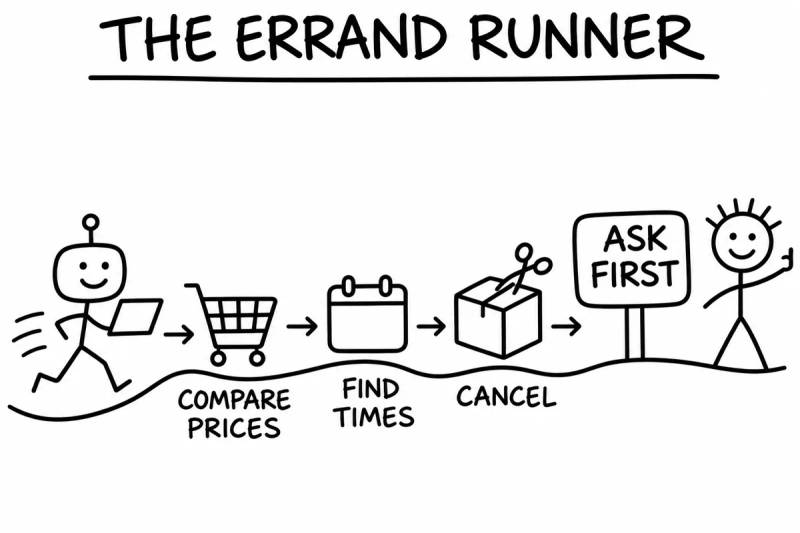
Hand-drawn doodle titled The Errand Runner: a robot with a laptop runs along a path past a shopping cart labeled Compare prices, a calendar labeled Find times and a box being cut open labeled Cancel, to a sign that says Ask first, where a smiling person gives a thumbs up.

The problem:The little stuff eats your week. Canceling that subscription. Comparing prices on supplies. Booking the dinner. Finding a time that works for four busy people.

What Grok Bot does:It has its own computer and browser, so it can do a lot of the clicking for you. It compares prices, fills a cart for you to check out, finds open reservations, checks your calendar for times that work, and handles cancellations. You stay in control: it asks before it pays, books, cancels or sends anything.

Try saying this to your bot:

Find me 3 times next week when I'm free for a 30-minute call, avoiding mornings before 9. Then draft an email to [name] offering those times. Also, find out how to cancel my [subscription name] and tell me the steps and the date I need to do it by. Don't cancel until I say go.

How to Get Started in 10 Minutes

You don't need to be technical. If you can send a text, you can do this.

  1. Minute 1 to 2:

    Grab your free 2 weeks. Use my link at the bottom of this playbook.

  2. Minute 3 to 5:

    Connect one tool. Just one. Gmail or your calendar is a great first pick.

  3. Minute 6 to 7:

    Tell it about you. What your business does. Who your customers are. How you like to talk. What it should never do without asking. It remembers.

  4. Minute 8 to 9:

    Give it one job from this playbook. Copy the prompt. Change the details. Hit enter.

  5. Minute 10:

    Make it a routine. If it did a good job, tell it "do this every weekday morning." Now it's not a tool you use. It's a teammate who shows up.

Then each week, add one more job.

That's how you build a team. One job at a time.

Your Turn

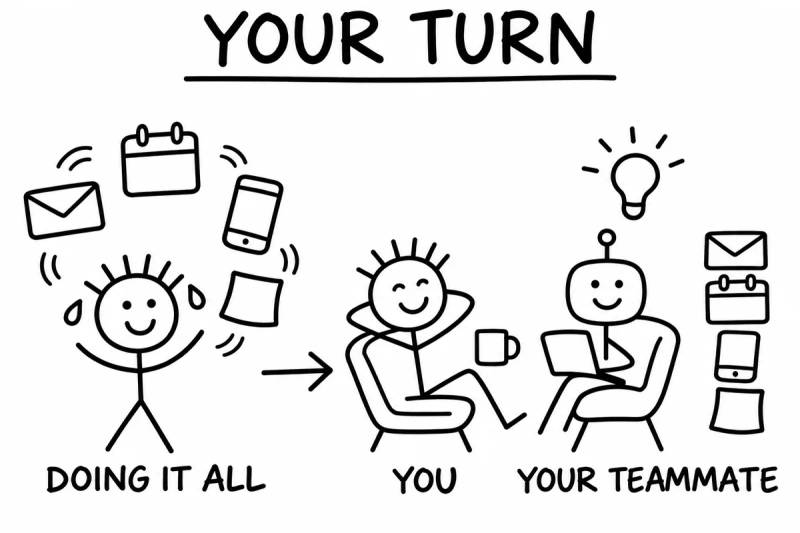
Hand-drawn doodle titled Your Turn: a stick figure juggling email, calendar, phone and notes, labeled Doing it all, then an arrow to You, relaxing in a chair with a coffee, next to Your teammate, a robot working on a laptop beside a stack of email, calendar, phone and notes.

Here's what I'd love for you to do.

Try Grok Bot free for 2 weeks with my link:

Try Grok Bot free for 2 weeks

Pick one job from this playbook.

Give it to your bot today.

Then come back to my DMs and tell me what you handed off. I'd love to hear it.

I really do think we're at the start of something as big as the first iPhone.

The people who get comfortable with an AI teammate now are going to be really glad they did.

Jeff Lopez holding a Skool award trophy
Jeff Lopez

Jeff ++

P.S. Don't overthink which job to start with. Start with the one that annoyed you most this week. That's the one you'll actually stick with.

P.P.S. Oh yeah, one more thing. Grok Bot built this entire page for me. It pulled from the bots I've actually built and use every day, and it made the whole thing in about seven minutes.

Not joking.

Try Grok Bot free for 2 weeks